/ how-to
How Easy Is Gig to Use? About a Minute to Set Up
The app is the easy part. Download it, sign in, and say what you need or what you do. Agreeing the actual job is still a short conversation — on purpose.

The short answer: Gig takes about a minute to set up. You download it, sign in with Apple, Google, or email, and either describe a job in a sentence or list a service in plain language. There is no category tree to learn, no subscription, and no fee to start. What it will not do is skip the part where two people agree a price. That conversation is the product, not an obstacle in front of it.
1. Get it on the phone you already use
Gig is free on the App Store and on Google Play. There is no desktop app to install and no account on a website you have to finish first. If you're on a computer, the Gig page will show a code you can scan with your phone — a store badge on a laptop can't install anything.
Sign-in is the next screen: Apple, Google, or email. If you've never used the Apple button, Apple's page on Sign in with Apple (opens in a new tab) says what it is, and Google's guide to sign-in security (opens in a new tab) covers the Google side. Either one is a couple of taps. Email is there if you'd rather not connect those accounts.
2. If you need help, say the job the way you'd say it
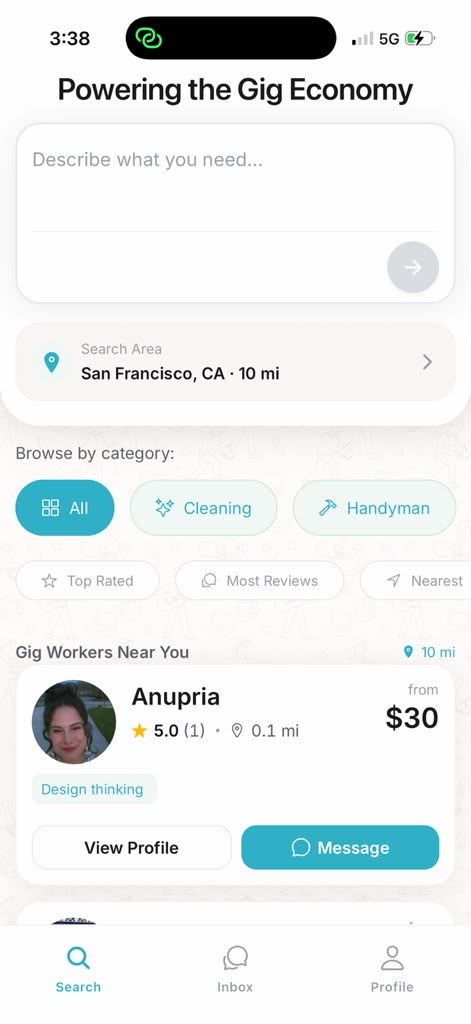
You don't pick a category and then filter your way toward the person. You type the sentence in your head. "Hang three heavy mirrors on a plaster wall" finds a better match than "handyman." "Deep clean a two-bedroom before a move-out inspection" finds a better match than "cleaning."
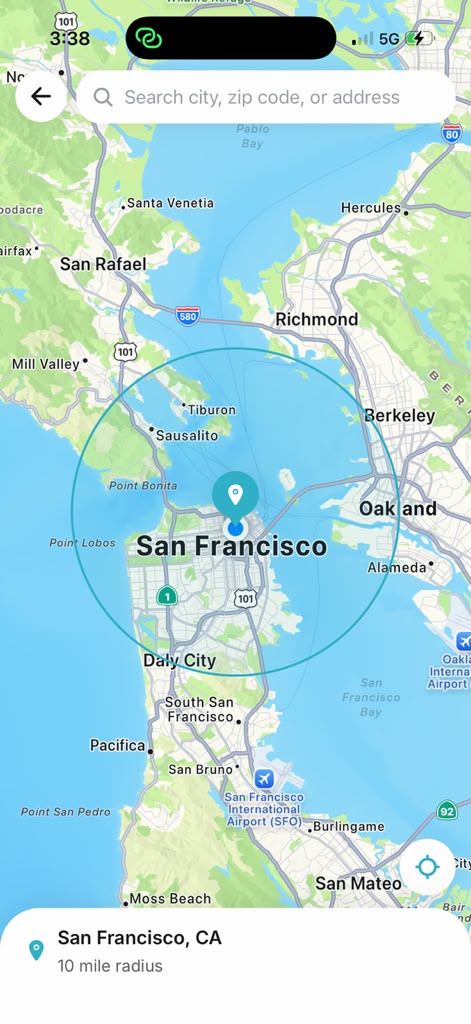
The results come back ranked by relevance, rating, and distance, with prices shown up front and no platform fee added on top. You can pull the range in so you're only looking at people close enough to actually show up. Search also works across languages — you can write the job in the language you think in. The longer version of how to read a result is in how to find local help near you.
3. If you offer help, it's the same account
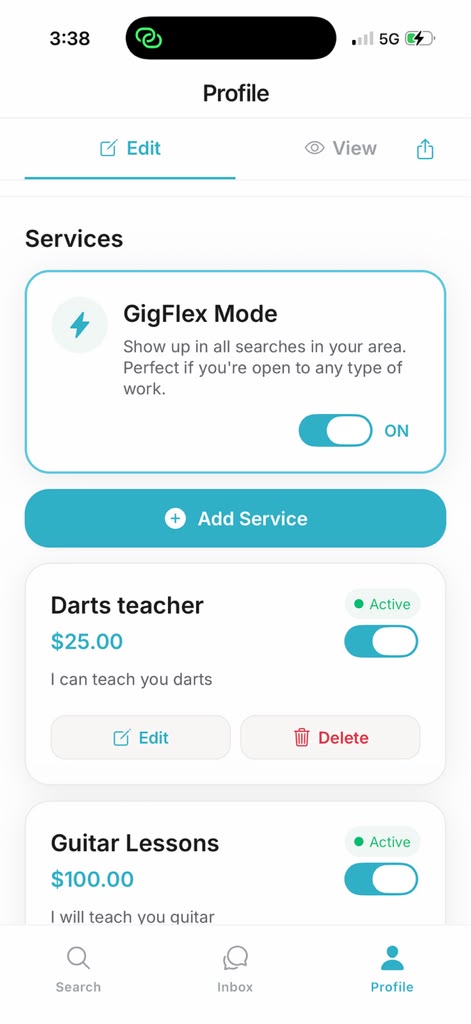
One profile does both sides. You don't register as a "pro" in a separate product, sit through an application, or buy a lead pack before anyone can see you. Add your name, a photo, and the service in the words a customer would use. You can turn individual services on and off later without rebuilding the profile.
Work you can do remotely isn't limited to the people on your street — those listings can show up in searches beyond your immediate area. Work that has to happen at an address stays local, which is what you want if you're the one driving to it. For the money side of listing a service, the short version is that Gig takes 0% and never handles the payment. The longer version is how to make money offering services.
4. Then you talk, agree a number, and the app steps back
This is the part people underestimate, and the part we won't automate away. Message in the app. Confirm they've done this job before, what's included, and when they can start. Agree the price in the thread. Then pay them directly — there is no wallet to set up, no payout waiting to clear, and no booking fee on top of the number you just agreed.
Easy stops there on purpose. A tap that dispatched a stranger to your door with your card already charged would be faster, and it would also be a worse idea. What "safe" does and doesn't cover is spelled out in is Gig safe?
About a minute to be listed or to be looking. The job itself still takes a conversation. That conversation is free of a platform cut.
What "easy" is not: a promise that someone is at your door today, or that your first listing books this week. Gig is newer than the big marketplaces, and how many people are near you varies by area. The setup is short. Demand is local and real, and we won't invent it.
Frequently asked
How long does it take to set up Gig?
About a minute. Download Gig from the App Store or Google Play, sign in with Apple, Google, or email, and add your name, a photo, and either the job you need or the service you offer. There is no subscription and no business paperwork inside the app.
Is Gig free to use?
Yes. Gig is free to download and free to join, for hiring and for offering a service. There is no subscription, no booking fee, and no commission. The customer pays the provider directly.
Do I need a website or a registered business to use Gig?
No. One profile is the whole storefront. You describe the service in plain language, or you describe the job you need in a sentence. A website, a logo, and a registered business are not required to get started.
Can one Gig account both hire and offer services?
Yes. The same free profile works on both sides. You can search for help and list what you do without creating a second account.
If the easy part was the listing
Being listed is not the same as having a customer. The next useful thing is how to get a first client without paying for leads, and if the open question is what to charge once someone asks, pricing without undercharging is the one to read before you reply.