/ hiring
Hire Someone Who Speaks Another Language: Gig Translates the Chat
The best cleaner on your street might be more at home in Portuguese, and the tutor you want might think in Korean. On Gig each of you writes in your own language and reads the other in yours, with the original one tap away.

The short answer: Gig translates messages for you. Each person writes in their own language. The other person reads it in theirs, with a small "Translated from Spanish" line under the message, and a tap on that line shows the original. Your own messages show the way you wrote them. Profiles, listings, reviews and quote requests are translated the same way. Gig covers 18 languages, and the translation is done by Claude, an AI model from Anthropic.
The 18 languages
English, Spanish, French, German, Chinese, Arabic, Portuguese, Russian, Dutch, Hebrew, Italian, Polish, Vietnamese, Tagalog, Haitian Creole, Japanese, Korean and Hindi. Gig starts in your phone's language. To read it in a different one, open Profile, go to settings, and choose Language. Whatever you pick is the language everything is translated into for you.
What a translated chat looks like
Nothing to switch on. A message from someone writing in another language arrives already in yours. Under it, a quiet line says which language it came from. Tap that line and the bubble shows the original, labeled "Original" with the language. Tap again to go back. A message that's already in your language isn't touched.
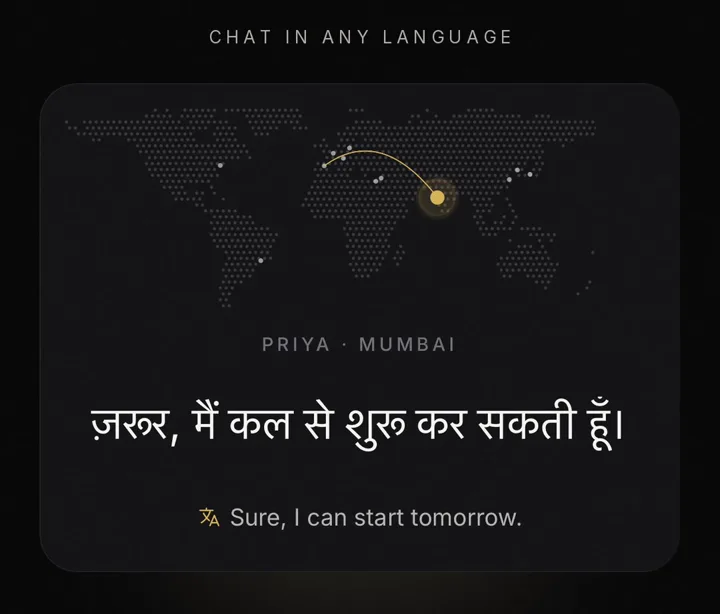
If you change your app language later, your conversations follow: messages are translated into the new language as you open them.
What else is translated
| On Gig | What you see | The original |
|---|---|---|
| Chat messages | Each message from the other person, in your language | Tap "Translated from…" under the message |
| Profiles and listings | Bios, service titles and descriptions | Tap "Show original" on the profile |
| Reviews | What other customers wrote, in your language | Tap "Show original" on the review |
| Quote requests | Pros read the job in their own language | "Show original" on the request |
| Gig's notifications | Job alerts and Gig's own notices arrive in your language | None. They're written by Gig |
This works for anyone writing on Gig. If you offer a service, write your listing in whatever language you think in, and readers see it in theirs. Gig's listing writer takes a sentence in your language too.
Everyday speech, not textbook
Translation software often comes out stiff: the formal "you" where a neighbor would use the casual one, phrases out of a textbook. Gig's translations are written to sound like a friendly local talking. That's the casual tú in Spanish and du in German, gender-neutral phrasing in Hebrew, and in Tagalog the everyday mix of Tagalog and English that people actually text in. A message about a leaky tap should read like one.
Where to double-check
It's machine translation, and it can be wrong. Gig's terms say so. For most messages that doesn't matter. For the few details a job depends on, take ten seconds:
- Prices, dates and times. Write them in digits ("$80," "Tue 3:00 pm") and repeat them back before the day. Digits rarely get garbled.
- Addresses. Send the address as written, in its own message, once you've agreed on the job.
- Anything that reads oddly. Tap to see the original. A name, a brand or a bit of slang sometimes comes through translated when it shouldn't.
- Short sentences. Plain, one-idea sentences translate better than long ones full of jokes.
Write the way you'd talk to a neighbor. Put numbers in digits. Tap the original when something reads strangely.
Who does the translating, and what's sent
Gig uses Claude, an AI model from Anthropic. For each translation Gig sends only the text and the language to translate it into, and Anthropic's commercial terms don't allow it to train its models on that text. Gig stores each translation so the same message or listing isn't sent again. The first time you open the app, a "Chat in any language" card says who powers it, and the app's privacy policy (opens in a new tab) lists every way Gig uses AI, including the scam screening on messages.
Further than your street
Translation matters most when the person you need isn't from your neighborhood. If you teach or consult over video, a listing marked Remote can be found anywhere, and a client on another continent reads it in their own language. That's in offering your services online.
Seeing messages untranslated? Translation is in the current version of Gig on iPhone and Android. Check the language under Profile settings, and update the app if it's out of date.
Frequently asked
Does Gig translate messages automatically?
Yes. When someone writes to you in another language, the message appears in your language with a small "Translated from" label under it. Tap the label to see the original. Your own messages always show the way you wrote them, and the other person reads them in their language.
Which languages does Gig translate?
Eighteen: English, Spanish, French, German, Chinese, Arabic, Portuguese, Russian, Dutch, Hebrew, Italian, Polish, Vietnamese, Tagalog, Haitian Creole, Japanese, Korean and Hindi.
How do I change the language I read Gig in?
Gig starts in your phone's language. To pick another, open Profile, go to settings and choose Language. Messages, profiles and listings switch to the new language as you open them.
Who translates my messages?
Claude, an AI model from Anthropic. Gig sends only the text and the language to translate it into, and Anthropic's commercial terms don't allow it to train its models on that text. Gig stores each translation so the same text isn't sent twice.
Where this fits
Translation takes care of the language. For the rest of hiring, read how to find local help near you, or skip the searching and get quotes from local pros. And for what protects you on Gig, and what doesn't, there's Is Gig safe?